AI Agents in Action: The New Operating Layer for Modern Enterprises
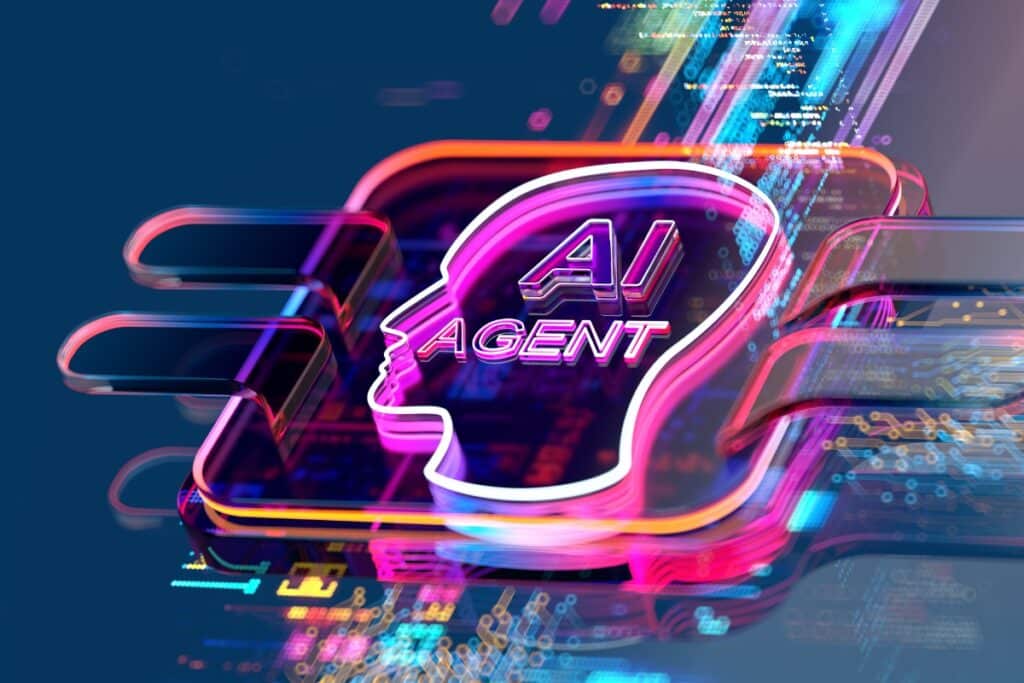
The AI revolution isn’t coming — it’s here. But for all the progress in models, tools, and use cases, one thing remains painfully clear: most enterprise systems weren’t built to work with intelligence. While AI is evolving rapidly, enterprises are still operating in environments designed around rigid workflows, static rules, and human intervention. The result? A widening gap between what AI can do and what enterprise systems allow it to do. To close that gap, organizations need more than automation. They need a new operating model — one that brings modular intelligence into everyday workflows, makes decisions in motion, and scales responsibly across domains. That model begins with AI agents. Why Traditional Systems Fall Behind in an AI-First World The shift in expectations is undeniable. Customers want personalization. Employees want intelligent tools. Stakeholders want results — fast, scalable, and accurate. But legacy systems were designed for a different world. They follow fixed rules, not evolving patterns. They execute predefined steps, but don’t make contextual decisions. They automate tasks, but struggle to adapt or learn. So, we end up with patchwork solutions — scripting bots, layering in RPA, or manually bridging gaps. It works until it doesn’t. Fatigue sets in, tech debt piles up, and transformation efforts stall. Meanwhile, AI has quietly become ready for prime time — language models that understand nuance, vision models that verify documents, and systems that recommend next steps. But integrating this intelligence into daily operations remains elusive. Traditional platforms weren’t built to think — or to change. What Enterprises Actually Need: A New Operating Layer To embed intelligence into the heart of enterprise operations, we don’t need smarter dashboards. We need a smarter backbone. Enter the concept of the AI Operating Layer — powered by modular AI agents that plug into workflows, make decisions, and drive coordinated action. The AI Operating Layer works with what you have, translating insight into impact — intelligently, at scale, and securely. What Makes AI Agents Different Not all automation is equal. AI agents offer a fundamentally new design for how intelligence is deployed across the enterprise. 1. Modular by Nature AI agents are not monoliths. They’re small, purpose-built units that solve targeted problems — like auto-filling a form, routing a lead, or sending a context-aware reminder. Start with one. Scale to many. 2. Intelligent by Design Unlike rule-based systems, AI agents interpret, learn, and adapt. They don’t just follow instructions — they understand context, detect patterns, and make judgment calls where needed. 3. Orchestrated in Action Agents don’t operate in silos. They work together — one agent triggers another, passing along context and completing workflows seamlessly. The orchestration layer ensures the entire flow is greater than the sum of its parts. 4. Enterprise-Ready Governance Trust is table stakes. AI agents are built with audit logs, explainability, and human-in-the-loop controls. Enterprises can manage them with the same rigor they apply to core systems — without sacrificing speed. Meeting Enterprises Where They Are AI transformation doesn’t happen in a vacuum — it happens within constraints. That’s why organizations need to adopt AI at the pace their systems and culture allow. System-Ready & AI-Committed You have the infrastructure and the mindset. Go wide: deploy clusters of orchestrated agents that optimize workflows and surface insights at scale. System-Ready, But AI-Cautious Start with standalone agents. Prove value quickly in low-risk areas. Build internal confidence before expanding into orchestration. Not System-Ready, But AI-Committed Begin with low-code pilots. Use AI accelerators to show early results while gradually modernizing your tech stack. Not Ready & Cautious Keep it safe. Explore use cases in controlled environments. Run workshops, test ideas, and focus on transparency and governance. There’s no wrong entry point — only a wrong pace. The goal is sustained, strategic evolution. How It All Works Under the Hood Behind the scenes, the AI agent model is powered by two complementary engines: The Agent Catalog A library of plug-and-play agents, each designed for a specific task. They can function alone or be assembled into clusters for multi-step workflows. Many are domain-specific — tailored for industries like mortgage, insurance, sales, and service. The Orchestration Engine The brain of the system. It coordinates agents, manages triggers and context, handles exceptions, and enables human oversight where needed. It also tracks agent performance, flagging issues and enabling continuous improvement. This is not about automating individual tasks. It’s about building intelligent ecosystems that work together — with minimal manual oversight. A Mortgage Example: From Chaos to Coordination In mortgage origination, AI agents can transform the journey from lead to loan: Engage leads 24/7 — no missed opportunities. Match borrowers with the right advisors — based on skills, not availability. Let advisors focus on people — while agents handle documents, forms, and nudges. Ensure nothing slips through — agents track follow-ups and escalate if needed. Deliver consistent service — at scale, from first click to final close. Beyond Mortgage: Broad-Scale Possibilities The agent-based model isn’t tied to one industry. The core framework adapts across verticals: Insurance: Claims processing, fraud alerts, policy generation Sales: Lead scoring, proposal automation, quote-to-cash Customer Service: Case triage, summarization, proactive outreach Anywhere there’s a process, there’s room for intelligent agents. Built for What’s Next This isn’t a stopgap solution. The AI Operating Layer evolves with your business: Predictive task automation Self-prioritizing workflows Natural language interactions Cross-agent collaboration Continuous learning and feedback loops As more agents are deployed and more data flows through the system, your enterprise stack becomes smarter — more adaptive, more proactive, and more capable. Conclusion The promise of AI isn’t just in insight — it’s in action. That means embedding intelligence into the very fabric of enterprise operations, not treating it as a separate layer. AI agents are the bridge between what AI can do and what enterprises need. Modular. Intelligent. Orchestrated. Governed. The future isn’t a monolith. It’s a network of agents — working intelligently, together.
Tavant’s AI-powered Salesforce® Solutions

Mastering Seamless Integration: A Deep Dive into Salesforce’s External Services

In today’s interconnected digital landscape, businesses depend on a diverse range of applications and systems to efficiently manage their operations, making seamless integration imperative. Salesforce, a pioneer in cloud-based CRM solutions, provides an impactful integration tool called External Services. Harnessing the OpenAPI 3.0 standard, External Services empowers organizations to integrate systems seamlessly with their Salesforce environment. What is External Services? External Services is a cutting-edge integration solution offered within Salesforce. It enables organizations to seamlessly incorporate external web services into their Salesforce environment by leveraging the OpenAPI (previously known as Swagger) specification, which precisely defines the web service. This integration empowers users to seamlessly bring the functionalities of their external web service into the robust Salesforce platform, utilizing intuitive point-and-click tools such as flow builder. As the picture depicts, the OpenAPI specification connects different types of APIs with Salesforce using External Services. Key features and benefits Standardized integration: With OpenAPI, External Services promotes standardization and interoperability, allowing seamless integration with a wide range of external systems and services. Simplified configuration: External Services offers an intuitive interface for configuring and consuming external APIs. Users can import OpenAPI specifications directly into Salesforce and map API resources to custom objects, making integration setup a breeze. Enhanced flexibility: By leveraging OpenAPI, External Services supports advanced features such as data validation, schema referencing, and parameterized requests, providing greater flexibility and control over integration workflows. Streamlined development: External Services accelerates integration development by generating Apex code stubs based on imported OpenAPI specifications called dynamic classes. This automates much of the coding process, reducing development time and effort. Before we discuss External Services in depth, let’s understand the OpenAPI specification and how it helps with the integration of external systems. Understanding OpenAPI OpenAPI, is a specification for building APIs. It provides a standardized way to describe RESTful APIs, which makes it easier for developers to understand and interact with APIs. Defines a standard, language-agnostic interface to HTTP APIs. Enables humans and computers both to discover and understand the service’s capabilities without access to source code, documentation, or through network traffic inspection. As seen in the above diagram, seven different components constitute OpenAPI specification (currently, OpenAPI 3.0 is taken as reference). The following components represent any REST-based API covering all web service aspects: endpoints, request/response formats, and security definitions. External Service Setup We need to configure the following three entities to consume any REST-based API to start making callouts. 1. Setup named credentials: For any REST API callouts, we need integration user details to connect with external systems, such as username/password as part of the basic authentication model, client ID/client secret as part of the OAuth authentication model, etc. All these details will be stored in the named credentials entity. Therefore, named credentials in Salesforce provide a secure and easy way to authenticate external services within your Salesforce org. They abstract the endpoint URL and authentication details, making integrations more secure and manageable. Named credentials define the URL of a callout endpoint as well as its required authentication parameters in a single definition. To put it simply, the setup of authenticated callouts defines a named credential as the callout endpoint. 2. Register External Service: In the first step, “Setting up named credentials,” the system allows us to manage the authentication details needed for making callouts. Now, we need to register the service in External Service. All it takes is selecting named credentials and importing the OpenAPI specification into the External Service configuration wizard, which will automatically generate the stub classes. All these auto-generated classes get stored under dynamic classes in the Apex Classes section. An OpenAPI spec can have a whole set of APIs as part of the module, and external service enables us to consume all the APIs in one go. While registering, the wizard takes us to a screen where we can only enable the required services. 3. Create a flow/apex component to make callouts With the named credentials and external service defined, we start making calls to web services using Flow or Apex. Flow:As soon as an external service is defined, the system creates an action for the flow under the External Service section, which can be used to select the API/Operation we want to do. Apex:After registering the external service, we can call it natively in your Apex code. Objects and operations defined in the external service’s registered API specification become Apex classes and methods in the ExternalService namespace. Conclusion Powered by the OpenAPI 3.0 standard, Salesforce’s External Services revolutionizes how organizations integrate external systems with their CRM platform. External Services enables businesses to unlock new opportunities for innovation, efficiency, and growth by providing a standardized, flexible, and efficient approach to integration. Whether integrating payment gateways, marketing automation platforms, ERP systems, or any other external services, External Services with OpenAPI empowers organizations to streamline processes, enhance collaboration, and deliver exceptional customer experiences. With External Services, the possibilities for integration are endless, paving the way for a more connected and agile digital ecosystem.
A Comprehensive Guide to Mastering Salesforce Flow Orchestrator

In the ever-evolving landscape of Salesforce, where automation is the key to operational excellence, Salesforce Flow Orchestrator emerges as a powerful tool for advanced orchestration capabilities. In this comprehensive guide, we will understand the layers of Salesforce Flow Orchestrator, dissect its key components, and navigate through a real-world use case to understand its practical applications. Salesforce Flow vs. Flow Orchestrator Salesforce Flow is adept at automating straightforward processes within the Salesforce ecosystem, such as updating records, sending mail, and creating tasks. Salesforce Flow Orchestrator takes center stage when the need for advanced workflow coordination arises. This includes managing intricate approval processes, integrating with external systems, and navigating complex business processes with multiple steps and decision points. Types of Salesforce Flow Orchestration Autolaunched Autolaunched orchestrations launch in response to triggers like Apex, Rest API, and more. They bring forth automation seamlessly, responding to external stimuli with quiet efficiency. These orchestrations make automation feel natural and intuitive, initiated not by manual efforts but by the touch of code or external signals. Record-Triggered Orchestration Record-triggered orchestrations take center stage when a record is created or updated. They dynamically respond to changes in the Salesforce landscape, ensuring the rhythm of your processes aligns with record activities. These orchestrations are vital to responsive automation, crafting a harmonized narrative that works seamlessly alongside your business activities. The Building Blocks of Flow Orchestrator Stages These are logical phases that group related steps together, are executed sequentially, and are bound by specified conditions for completion. Steps A step is where we can define which flow or flows can run sequentially or parallel. The system can complete the background steps, whereas interactive steps can be assigned to the user to complete and send a notification. Flows: Every step runs a flow. Flows can be autolaunched or screen flows, determining the actions and interactions within the orchestration. Orchestrator Work Guide: Guiding User Input Imagine a visual guide leading users through the input process—this is the Orchestrator Work Guide. A component embedded in record pages via App Builder ensures a seamless experience for users providing input and completing tasks. Under this Work Guide section, users can access the assigned screen and provide inputs. Find the image below with the Work Guide input screen. Real-World Use Case: Contract Approval & Order Creation Flow Orchestra is an invaluable asset for businesses seeking to automate intricate processes characterized by interrelated steps and the necessity for approvals spanning multiple organizational levels. A noteworthy example will be an IT company’s Contract Approval and Order Creation procedures. The platform seamlessly facilitates interaction with diverse teams and external vendors in this complex workflow, ensuring seamless collaboration. The requirement for approvals from various managerial positions is met with precision as flow orchestration creates a systematic and efficient approval workflow. Within this orchestrated process, managers at different levels are seamlessly integrated into the approval chain, ensuring a robust and compliant procedure. Moreover, the platform excels in task delegation, systematically assigning responsibilities to the organization’s most relevant individuals or teams. This meticulous assignment of tasks ensures that each step in the process is executed by the most qualified personnel, optimizing the overall efficiency of the operation. Flow orchestration becomes the linchpin in the orchestration of Contract Approval and Order Creation, navigating the complexities with finesse. Its ability to streamline interactions, obtain requisite approvals, and allocate tasks judiciously contributes to the timely signing of contracts and the expeditious creation of new orders. By seamlessly integrating into the organizational framework, flow orchestration elevates operational efficiency and empowers businesses to navigate intricate workflows precisely. Evaluation Flow: Precision in Orchestration Criteria In the toolkit of orchestration, the Evaluation Flow stands out. It’s an autolaunched flow that evaluates custom criteria for stages or steps within an orchestration, providing precise control over the process. Debugging an Orchestrator: Peering into Execution Details When the orchestrator takes center stage, administrators can access the Orchestrator Runs tab via the App Launcher for an in-depth look into its status, variable values, and overall execution. Debugging a Failed Flow Orchestrator Administrators can navigate to the Paused and Failed Flow Interviews section in the setup menu in troubleshooting mode. They can dissect failed orchestrations here, revealing crucial details to identify and address the root cause. Empowering Business Processes with Flow Orchestrator In conclusion, Salesforce flow orchestrator emerges as a pivotal tool in the realm of Salesforce automation. From its foundational blocks to real-world applications, flow orchestrator can revolutionize your Salesforce experience. Embrace the power of orchestration and witness streamlined business processes reaching new heights of efficiency!
REVOLUTIONIZING BUSINESS INTELLIGENCE: UNVEILING THE POWER OF SALESFORCE DATA CLOUD

In today’s business landscape, data plays a pivotal role in the success of enterprises, serving as a crucial foundation for informed decision-making. Salesforce Data Cloud is a comprehensive solution that addresses critical industry challenges related to data integration and consolidation, data quality and accuracy, customer personalization, and competitive agility. Let us explore why Salesforce Data Cloud is the cornerstone of modern business intelligence and the features that set it apart. What are the challenges? 1. Fragmented Data Landscape Modern businesses grapple with the challenge of data scattered across diverse systems, impeding a unified view. The absence of cohesion hinders seamless data integration and consolidation, making it difficult for organizations to obtain a holistic perspective for informed decision-making. 2. Data Inconsistency and Inaccuracy Ensuring the integrity of data remains a significant hurdle. The prevalence of inconsistent and inaccurate data threatens the reliability of information that drives operational processes. Organizations need help maintaining data quality to avoid potential errors and misinformation. 3. Limited Analytical Capabilities Deriving meaningful insights from data is a constant challenge in the industry. The ability to extract valuable information, identify trends, and make strategic decisions based on data-driven analysis is necessary. 4. Rigidity and Slow Adaptation The fast-paced nature of the business environment demands agility, but industry players face challenges in adapting swiftly to change. Organizations need a scalable and infrastructure-ready solution to connect disparate data sources efficiently and access real-time information. Data Cloud Overview: Salesforce Data Cloud is a dynamic and comprehensive real-time data platform. It enables businesses to integrate and unify external and internal data sources to create a single source of truth and make a golden customer data record. Data Cloud integrates AI and automation to enable data-driven decision-making and personalized experiences across multiple business functions; most importantly, it has a layer of data policy management to help customers keep their data safe and meet regulatory compliance requirements globally. Why Data Cloud? 1. Handle tremendous scale Salesforce Data Cloud is designed to handle vast amounts of data, making it suitable for businesses of all sizes. Its scalability ensures that organizations can grow and evolve without worrying about data limitations. 2. Improve data accuracy It streamlines the data accuracy process through robust data management capabilities such as data integration, harmonization, unification, cleansing, and deduplication. This improves data quality and accuracy while reducing manual efforts and chances of error and ensuring that organizations can rely on their data for critical decision-making processes. 3. Data analytics & enrichment capabilities The platform’s robust analytics capabilities empower organizations to derive valuable insights from their data, driving innovation and competitive advantage; it integrates AI and automation to enable data-driven decision-making across multiple business functions. 4. Personalized experiences Capture real-time data and leverage it for personalized customer experiences, predictive insights, and proactive services to build strong customer relationships. Integration with all the disparate systems enables your sales and marketing teams to comprehensively tailor their approach, anticipate needs, and provide a personalized buying experience for customers. 5. Customer 360 view Salesforce Data Cloud’s ability to create a comprehensive 360-degree view of customers’ data from all sources and easy accessibility and centralization of their information ensures that organizations can understand and cater to individual preferences, fostering robust and meaningful customer relationships and improving sales and marketing efforts to boost ROI 6. Trusted Infrastructure The platform’s infrastructure readiness makes it a future-proof solution, allowing organizations to grow and adapt without limitations. It also scales with the required privacy, security, and compliance with Hyperforce. How Does Salesforce Data Cloud Work: 1. Connect: Salesforce Data Cloud seamlessly connects various data sources by offering pre-built connectors for external and Salesforce platforms to bring data into the data cloud in real-time/batch mode to build the data lakehouse for your customer. 2. Harmonize: Data Cloud harmonizes and stores your customer data at a massive scale, transforming it into a single and dynamic customer profile to provide a golden record. Regardless of the data source and how it’s labeled, you will see all the data of individual customers in their specific profiles separately. 3. Engage: Salesforce Data Cloud uses a Lakehouse architecture that simplifies the categorization and classification of unstructured data into a structured form for known and anonymous users. As a result, the historical data can be accessed more quickly and efficiently. 4. Experience: Data Cloud unifies all the data in one spot so that you don’t need to narrow your search for each customer. Due to the ability to capture real-time data, Data Cloud can leverage it for personalized customer experiences, predictive insights, and proactive services. This way, sales/support staff can proactively respond to customers without asking repeated queries when receiving a call from a customer. Industry Use Cases 1. Failure Prediction (Manufacturing Cloud) – Leveraging machine data and service information, we predict component failures or replacements, delivering preemptive information to customers or dealers for potential servicing or replacement options. Implementing Data Cloud features has been instrumental in realizing this use case. Data Ingestion: ingests 3rd party data (service data and IOT data) through ingestion API. BYOM: brings the prediction model and runs that model on CDP data Calculated Insights: builds the aggregated view of each customer’s vehicle’s reading and failure points against it Data Action: sends alerts to dealers and customers when they approach the failure production limit Analytics: builds dynamic dashboards 2. Dealer Engagement (Commerce/Experience Cloud) – Capturing dealers’ engagement through the Warranty Catalogue Portal, we extract clickstream data detailing user journeys with products. This information is then transmitted to the marketing and sales teams to facilitate the rollout of targeted product offers and develop effective product selling strategies. The integration of the following Data Cloud features has played a vital role here: Data Ingestion: ingests data through Web and mobile Connector Calculated Insights: builds the aggregated product view to capture clicks per dealer and consolidates it by dealer, region, and product Data Action: sends an alert to the marketing and sales team Analytics: builds the dynamic dashboards 3. Financial Services – Banks can unify data from core banking systems, credit card programs, insurance
Harnessing the Power of Salesforce Hyperforce: A Deep Dive into the Future of Cloud Infrastructure

Salesforce, a trailblazer in cloud-based customer relationship management (CRM), has revolutionized the digital sphere and debuted a groundbreaking infrastructure architecture called Salesforce Hyperforce. This innovative offering is poised to redefine how organizations utilize the cloud to boost their Salesforce applications and drive business operations to unprecedented heights. The Emergence of Hyperforce Salesforce Hyperforce signifies a profound shift in Salesforce’s infrastructure strategy. Unlike traditional models where Salesforce hosted customer data and applications in proprietary data centers, Hyperforce paves the way for organizations to execute their Salesforce applications on public cloud platforms. This flexible architecture empowers businesses to harness leading cloud providers’ scalability, security, and high-performance capabilities. Key Features of Hyperforce Hyperforce is armed with several standout features designed to meet the evolving needs of digital businesses. Compliance: Hyperforce allows storing data locally while adhering to global compliance standards. Users can select the data storage location, ensuring compliance with regulations specific to the company, region, or industry. Scalability: Digital companies worldwide can leverage Hyperforce’s scalability to facilitate their growth. Hyperforce enables flexible infrastructure implementation, allowing users to deploy resources in the public cloud while retaining complete control. Compatibility: Hyperforce can seamlessly integrate with all existing Salesforce applications, customizations, and integrations. This ensures backend compatibility and minimizes disruptions. Security: Hyperforce prioritizes the safety of organizational data, providing robust security measures that operate in the background to ensure privacy and security. The Driving Force Behind Hyperforce Hyperforce was conceptualized to address the challenges faced by Salesforce users in storing large volumes of data due to storage limitations. By enabling users to utilize public cloud infrastructure for data storage, Hyperforce offers a solution to many scalability and geographic location issues. Global Availability of Hyperforce Hyperforce promises extensive reach, with Salesforce committing to making it available in every region through major cloud computing providers. Unraveling the Benefits of Hyperforce Hyperforce offers many benefits to Salesforce users, each designed to enhance operational efficiency and performance. Swift and Easy Resource Deployment: Hyperforce facilitates quick and straightforward deployment of resources in the public cloud, significantly reducing implementation time. Enhanced Security Architecture: Hyperforce’s security architecture restricts users’ access to customer data, safeguarding sensitive information from human error. Standard encryption ensures privacy and security. Data Localization: Customers can store data in a specific location to support compliance with regulations specific to their company and region. Wide Compatibility: Every Salesforce application, customization, and integration can run on Hyperforce, offering extensive compatibility. Benefits of migrating to Salesforce Hyperforce Hyperforce public cloud providers offer their services for various regions. It is beneficial for companies to select the region that is as close as possible to the organization, thus reducing concerns about non-compliance with regional laws and regulations. Public cloud providers not only ensure that Salesforce, through Hyperforce, always has the necessary resources to support their customers’ growth but also guarantee scalability in a sustainable way. Below are a few benefits of migration over Hyperforce: Your data will be more secure than before – Hyperforce’s security architecture implements principles such as least privilege, zero trust, and encryption of customer data. Control over the privacy of your customers’ data is guaranteed – Ensure that cloud service providers have the necessary procedures and controls to comply with legal obligations regarding the processing of private data. Accelerate the performance in the execution of your applications – With Hyperforce, all the performance and resource issues disappear since this architecture does not require Salesforce to invest much energy and effort into them. Public cloud providers ensure and meets all the running needs of organizations regardless of whether they are test, development, or production environments. Implications for Businesses Hyperforce presents businesses with new opportunities and considerations for strategic planning. Future-Proofing: Embracing Hyperforce allows organizations to future-proof their Salesforce infrastructure. They can leverage the constantly evolving capabilities of public cloud providers, ensuring their CRM platform remains innovative. Enhanced Innovation: Hyperforce enables businesses to tap into the vast ecosystem of cloud services and third-party integrations offered by their chosen cloud provider, fostering innovation. Cost Optimization: Hyperforce allows businesses to pay for their required cloud resources, leading to potential cost savings. Fueling Innovation with Hyperforce Hyperforce enables businesses to access the vast ecosystem of cloud services and third-party integrations offered by their chosen cloud provider. This fosters innovation and allows organizations to build custom solutions that extend the functionality of Salesforce to meet their unique business requirements. Cost Optimization with Hyperforce Hyperforce allows businesses to optimize costs by paying for their required cloud resources. With the ability to scale resources up or down as needed, organizations can avoid over-provisioning and only pay for what they use, resulting in potential cost savings. Conclusion Salesforce Hyperforce opens new possibilities for organizations looking to supercharge their Salesforce applications. By leveraging the power of public cloud platforms, businesses can achieve enhanced scalability, improved performance, and greater control over their Salesforce deployments. As Salesforce continues to push the boundaries of cloud innovation, Hyperforce stands as a testament to the transformative potential of harnessing the full power of the cloud. 08/17/2023 Simran Tayal
Unlock the Power of Financial Services Cloud: Revolutionize Your Business Today!

WHAT IS FINANCIAL SERVICES CLOUD? As businesses constantly seek innovative solutions to streamline processes, enhance customer experiences, and stay ahead of the competition, Financial Services Cloud is emerging as a trailblazing platform, revolutionizing how financial institutions streamline operations and cultivate meaningful client interactions. The financial services industry has unprecedented potential to interact with customers, and Financial Services Cloud can help you get there. Financial Services Cloud is the world’s first CRM reinvented for the financial services industry. It is intended to assist everyone from personal bankers to financial advisors in seizing the chance to earn client trust and loyalty via meaningful interactions. Financial Services Cloud continues to push innovation thrice a year based on industry leaders’ feedback. It has added new functionality such as shield encryption, analytics, and communities for partners, workers, and customers. Connect your entire institution across lines of business, geographies, and channels, from retail banking to wealth management, to place your clients at the center of every contact. This powerful tool harnesses the power of cloud computing to deliver a seamless, integrated experience that caters to the unique needs of banks, insurance companies, wealth management firms, and other financial service providers. In continuation of part 1, this blog will delve into the world of Financial Services Cloud, exploring its key features, benefits, and how it’s transforming the financial industry for the better. Unlock the full potential of your financial institution. Financial institutions may take a significant step toward eliminating silos across lines of business and collaborating as one team to support consumers along their financial life journey using Intelligent Needs-Based Referrals and Scoring in the Financial Services Cloud. FINANCIAL SERVICES CLOUD SUB-VERTICALS FSC helps financial institutions to provide services for these sub-verticals. 1. Wealth Management — Assists their clients in growing and protecting their wealth. Personalize Wealth Client Relationships at Scale – Capture and visualize financial account information, goals, trusts, business groups, and interactions within and across clients, households, and relationship networks. Supercharge Advisor Productivity – Jumpstart every advisor’s day with a tailored list of tasks, client life events, opportunities, and access to essential client information aggregated by integrated partner solutions — all in one place. Make Smarter and Faster Client Decisions – Put artificial intelligence to work for your advisors so they can personalize every engagement with immediate insights and subsequent action recommendations. 2. Banking — Lends, holds, and invests money for customers and businesses. Know Your Customers and Their Needs – Track and visualize key customer relationships and financial information and keep context with a single pane of glass for managing customer engagements. Delight Customers with Convenience and Consistency – Provide commercial clients with a streamlined onboarding experience powered by automated task orchestration and contextual customer surveys. Unify Relationships Across All Lines of Business – Connect retail and commercial banking on the same platform for rich customer insights in-segment and bank-wide. Understand household and business financial needs and source referrals across lines of business from customers or their circles of influence. 3. Insurance — Serve the changing need of every policyholder and share risk among a group of people. Know Your Policyholders – Get always-on panoramic views of performance metrics, insights, and actions across each policyholder’s family, claims, and business milestones. Be Smarter with Built-in Analytics – Empower agents with rich analytics and real-time insights that provide recommendations for the proper coverage. Deliver Exceptional Service – Connect agents and customer service representatives with relevant insights about policyholders with out-of-the-box dashboards. 4. Mortgage & Lending Streamline Mortgage Lending – Deliver a seamless lending experience with a single view of each borrower’s loan applications, documents, accounts, and relationships. Offer step-by-step guidance and transparency and get integrations to digitize the entire process. Increase Loan Officer Productivity – Connect systems, channels, and processes to streamline handoffs. And coordinate partners like realtors, brokers, and appraisers to translate data into actionable insights. Deepen Borrower Relationships – Increase visibility into borrowers’ financial, household, and employment information to prioritize relationships and collaborate across lines of business. FINANCIAL SERVICES CLOUD ARCHITECTURE & DATA MODEL Financial Service Cloud comes with OOB structured and pre-build data models specific to tailor each need of financial sector client. It provides insightful information at every stage of a client’s lifecycle. FSC Managed Package Data Model The above FSC managed package diagram includes the Sales & Service cloud objects, FSC standard, and package objects. FINANCIAL SERVICES CLOUD PACKAGING Financial Services Cloud functionality comes up with two packages. One is managed package that delivers most of the features, and another is an unmanaged extension package that provides the field sets. • Managed Package It includes most FSC functionality, with custom fields and objects, list views and profiles of clients and households, and administrative configurations. • Unmanaged Package The unmanaged extension package provides field sets that configure how fields display in the client and household profiles and retail banking dashboard, and the banking extension package provides the commercial banking dashboard. DATA SECURITY WITH SALESFORCE SHIELD Financial Services Cloud with Salesforce Shield assists financial services institutions in complying with industry regulations, such as the U.S. Department of Labor’s Fiduciary Rule; it can support firms with visibility into interactions between clients, advisors, agents, and teams. With a Client Data Model at the center of Financial Services Cloud, firms can easily track client relationships and follow each interaction to help achieve compliance. Salesforce shield supercharges organizational security in three ways. Field Audit – Giving financial service firms a valuable record of how their data has changed. Industry regulations require institutions like banks to record changes to track necessary fields. Platform Encryption – Encrypts sensitive data such as PII, credit card, or bank account information at rest, meaning that even when data is not being transferred anywhere, platform encryption is a must for complying with industry regulations and internal policies Event Monitoring – This feature can show what users are accessing, when they’re accessing it, and from where. It’s also essential for complying with industry regulations like FFIEC, SOX, and PCI FINANCIAL SERVICES CLOUD USE CASE Below are a few of the industries specific use cases: • For Banking Problem Statement – In today’s world, people love to get
Why Salesforce Manufacturing Cloud is a Game-Changer for the Industry

In today’s fast-paced manufacturing environment, manufacturing organizations are constantly searching for ways to streamline their operations and increase efficiency. One solution that has gained a lot of attention in recent years is Salesforce Manufacturing Cloud. Salesforce Manufacturing Cloud is a cloud-based solution that caters specifically to the needs of manufacturers, providing them with a unified platform for account planning and forecasting. This platform offers enhanced transparency and collaboration across the manufacturer’s entire ecosystem. Here are some of the ways that Salesforce Manufacturing Cloud can help transform the manufacturing industry: Real-Time Visibility One of the biggest benefits of Salesforce Manufacturing Cloud is that it provides manufacturers with real-time visibility into their operations. This means that they can monitor every stage of the production process, from raw materials to finished goods, and identify any issues or bottlenecks before they become major problems. With real-time data, manufacturers can make more informed decisions, optimize their processes, and respond quickly to changing market conditions. Increased Efficiency Salesforce Manufacturing Cloud also helps manufacturers increase efficiency by automating many of the manual processes that are involved in production planning, scheduling, and inventory management. By automating these processes, manufacturers can reduce the risk of errors, improve accuracy, and free up their teams to focus on more value-added tasks. Improved Collaboration Another key benefit of Salesforce Manufacturing Cloud is that it enables manufacturers to collaborate more effectively with their teams, customers, and partners. The solution provides a centralized platform for sharing data, communicating with stakeholders, and tracking progress. This makes it easier for manufacturers to work together with their teams and partners to solve problems, make decisions, and achieve their goals. Better Customer Service Salesforce Manufacturing Cloud also helps manufacturers improve their customer service by providing them with a complete view of their customer’s needs and preferences. With this information, manufacturers can personalize their offerings, provide more accurate delivery schedules, and respond quickly to customer inquiries and issues. This can lead to higher customer satisfaction, repeat business, and referrals. Scalability Finally, Salesforce Manufacturing Cloud is designed to be scalable, which means that it can grow and adapt with your business. Whether you’re a small manufacturer just getting started or a large enterprise with complex operations, Salesforce Manufacturing Cloud can be customized to meet your specific needs and requirements. The Manufacturing Cloud is also vital to Salesforce’s Customer 360 suite, empowering manufacturers to provide intelligent field services, lifecycle marketing, channel management, B2B commerce, and other capabilities in a unified view, spanning their entire business. Salesforce Manufacturing Cloud is a game-changer for the manufacturing industry. It provides manufacturers with the real-time visibility, automation, collaboration, customer service, and scalability they need to succeed in today’s fast-paced market. If you’re a manufacturer looking to streamline your operations and increase efficiency, then Salesforce Manufacturing Cloud may be the solution you’ve been looking for. If you’re looking to implement Salesforce Manufacturing Cloud and need expert guidance and support, Tavant is an implementation and consulting partner that can help you on your journey. Tavant is a trusted partner of Salesforce, with years of experience helping manufacturers implement and optimize the Salesforce platform. Their team of experts is well-versed in the nuances of the manufacturing industry, and they can help you tailor the Salesforce Manufacturing Cloud solution to your specific needs and requirements. Tavant’s approach to implementation is thorough and collaborative, with a focus on understanding your business processes and aligning the solution to your goals. We can help you with every aspect of the implementation process, from project scoping and planning to data migration, configuration, and testing. In addition to implementation, Tavant also offers ongoing consulting and support services, helping you get the most out of your Salesforce Manufacturing Cloud investment. We can provide training for your teams, help you optimize your workflows, and provide insights and recommendations for improving your operations. Partnering with Tavant for your Salesforce Manufacturing Cloud journey will ensure a smooth and successful implementation and give you the tools and support you need to transform your manufacturing operations. For more information on how Tavant can help, email us at [email protected].
Personalizing the Financial Services Experience with Salesforce Financial Services Cloud

In today’s highly competitive financial services industry, providing a personalized client experience is crucial for building long-term relationships and driving growth. Salesforce Financial Services Cloud provides financial advisors with the tools to deliver a personalized experience that goes beyond the traditional client-advisor relationship. Here are some strategies for leveraging Salesforce Financial Services Cloud to provide a personalized client experience. Create a 360-degree view of the client Salesforce Financial Services Cloud allows advisors to consolidate all client data into a single, unified view. This includes contact information, financial account details, investment history, and communication history. By having a complete view of the client, advisors can better understand their needs and preferences and tailor their services accordingly. Utilize personalized client segmentation Segmenting clients based on their investment goals, risk tolerance, and life stages allows advisors to deliver a more personalized experience. With Salesforce Financial Services Cloud, advisors can create custom client segments and tailor their outreach and service delivery based on those segments. For example, advisors can send personalized investment recommendations based on a client’s investment goals and risk tolerance. Leverage automation for proactive outreach Salesforce Financial Services Cloud offers powerful automation capabilities that allow advisors to automate routine tasks, such as sending follow-up emails and scheduling meetings. With automated workflows, advisors can stay top-of-mind with clients and ensure that they’re providing timely and relevant advice. Use insights to provide personalized recommendations Salesforce Financial Services Cloud includes powerful analytics tools that allow advisors to gain insights into client behavior and preferences. By analyzing client data, advisors can provide personalized recommendations that align with a client’s investment goals and risk tolerance. Provide a self-service portal Salesforce Financial Services Cloud offers a self-service portal that allows clients to access their financial information, view investment performance, and update their personal information. By providing a self-service portal, advisors can empower clients to take control of their financial well-being and provide a personalized experience. Offer a personalized digital experience Salesforce Financial Services Cloud enables advisors to provide a personalized digital experience through custom-branded web portals and mobile applications. With a branded digital experience, advisors can reinforce their brand and provide a seamless experience across all channels. FINANCIAL SERVICES CLOUD FEATURES & BENEFITS Intelligent Referral Routing Advisors must monitor leads and referrals diligently. FSC encompasses numerous referral elements designed to assist advisors and bankers in managing all their referral activities effectively. With AI-powered referral scoring and routing, you can build a smooth communication flow to track and convert referrals after a referral pipeline is developed. Stay on top of your client goals and referrals and get actionable insights about your book of business with visualized dashboards. Client Relationship Map Utilizing the customer relationship map to bring customers’ networks to life, and showing much-needed context to Advisors. Explore the client relationship layers and related records with the Actionable Relationship Center (ARC) to organize all the information and create records for clients’ financial accounts and their underlying holdings, assets, liabilities, and financial goals. Combine Advisor Analytics, with Einstien AI predictions, and a 360-degree view of your customer to collaborate/communication easily. Financial Accounts & Rollups FSC offers several kinds of financial accounts such as, Bank Accounts, Insurance Accounts, and Insurance Policies and their underlying holdings, assets, liabilities, and financial goals. This helps financial advisors in formulating investment plans that meet the financial objectives of their customers and get a complete insight into their clients’ accounts and assets to make the best product and service recommendations. Stay Compliant with Industry Regulation Financial services is a highly regulated industry where the regulations are ever-changing. The financial services cloud helps customers to stay compliant. It comes up with the following complaint-related features. Compliant Data Sharing – Allow the complaint manager to config advanced data sharing rules to follow the compliance policy and regulations. Intelligent Document Automation for Consent and Disclosures – Allow you to manage consent and disclosure documents, generate authorization request forms, and track user responses. Deal Management – The deal team can manage deal-related information and take advantage of compliant, role-based data-sharing options. Advisor Analytics & BI FSC helps financial advisors to provide their clients with better-informed decisions with the help of the analytics dashboard. Pre-built templates and models customized exclusively for the financial services industry produce instant insights at your fingertips. FSC is more accurate for making smarter financial decisions because the analytics are powered by innovative Artificial Intelligence technology. In conclusion, leveraging Salesforce Financial Services Cloud to provide a personalized client experience is critical for success in the financial services industry. By creating a 360-degree view of the client, utilizing personalized client segmentation, leveraging automation for proactive outreach, using insights to provide personalized recommendations, providing a self-service portal, and offering a personalized digital experience, advisors can deliver a customized experience that builds trust and loyalty. FAQs – Tavant Solutions How does Tavant integrate with Salesforce Financial Services Cloud to deliver personalized experiences?Tavant seamlessly integrates with Salesforce Financial Services Cloud to create unified customer profiles, enable personalized loan recommendations, and provide tailored communication strategies. Their integration leverages Salesforce’s CRM capabilities while adding specialized lending functionality for comprehensive, personalized financial services. What personalization capabilities does Tavant enable through Salesforce Financial Services Cloud integration?Tavant enables personalized product recommendations, customized communication preferences, tailored user interfaces, individualized pricing strategies, and adaptive customer journeys through their Salesforce integration. This creates highly relevant, engaging experiences that improve customer satisfaction and conversion rates. How does Salesforce Financial Services Cloud enable personalization?Salesforce Financial Services Cloud enables personalization through comprehensive customer data management, AI-powered insights, automated workflow customization, and integrated communication tools. It creates 360-degree customer views that support tailored experiences across all financial service touchpoints. What are the benefits of personalized financial services?Benefits include increased customer satisfaction, higher conversion rates, improved customer retention, enhanced cross-selling opportunities, better customer lifetime value, and competitive differentiation. Personalization helps financial institutions build stronger customer relationships and drive business growth. How can financial institutions implement effective personalization?Financial institutions can implement personalization through customer data integration, AI-powered analytics, behavioral tracking, segmentation strategies, and
From Outdated to Outstanding: The Benefits of Revisiting Your Salesforce Ecosystem

Salesforce has been a powerful tool for businesses for over two decades now, and it continues to evolve and expand with new features and capabilities. As a result, many organizations have built large Salesforce ecosystems over the years, with multiple applications and integrations. However, with so many changes and updates happening all the time, it is crucial to regularly revisit your Salesforce ecosystem to ensure it is still meeting your business needs and providing maximum value. Here are some reasons why it’s time to revisit your Salesforce ecosystem: Outdated Integrations: Over time, integrations between Salesforce and other systems can become outdated and may no longer be supported. This can cause problems with data accuracy, reliability, and security which can negatively impact your business. By revisiting your Salesforce ecosystem, you can identify any outdated integrations and replace them with newer, more robust solutions. Unused Applications: As your business evolves, you may find that some of the applications and integrations that you once relied on are no longer necessary. Keeping these unused applications and integrations in place can cause clutter, slow down your system, and create security vulnerabilities. By reevaluating your Salesforce ecosystem, you can identify and remove any unused applications and integrations, which will help streamline your system and improve overall performance. Missed Opportunities: New Salesforce features and capabilities are being released all the time, and it can be easy to miss out on these opportunities. By revisiting your Salesforce ecosystem, you can identify any new features and capabilities that could help improve your business processes and operations and implement them as needed. Compliance Requirements: Salesforce is used by businesses in many different industries, and each industry has its own unique compliance requirements. Reauditing your Salesforce ecosystem will ensure that your system is still in compliance with any relevant regulations and make any necessary updates to meet these requirements. Increased Efficiency: As your business grows and changes, your Salesforce ecosystem can become cluttered and inefficient. By revisiting your Salesforce ecosystem, you can identify areas for improvement, streamline processes, and make changes to improve overall efficiency. Improved User Adoption: Analyzing your Salesforce ecosystem can help identify any user adoption issues, such as confusing or cumbersome processes, and make changes to improve overall user satisfaction. This can lead to increased user adoption and better engagement with the system, which can drive improved business outcomes. Better Data Management: Data is a critical asset for any business, and it is essential to ensure that it is accurate, up-to-date, and secure. By revisiting your Salesforce ecosystem, you can identify any data management issues and make changes to improve data accuracy, security, and accessibility. Improved Customization: Salesforce is a highly customizable platform, and over time, customizations can become outdated or no longer necessary and can lead to a cluttered and inefficient system. By identifying and addressing any outdated customizations, improving system functionality, driving a better user experience, increasing productivity, and future-proofing your system, you can ensure that your Salesforce ecosystem remains a powerful tool for driving business success. Enhanced Mobile Experience: With the increasing importance of mobile technology, it is important to ensure that your Salesforce ecosystem is optimized for mobile use. Revisiting your Salesforce ecosystem can help identify any areas where the mobile experience can be improved, such as slow load times, difficult navigation, or compatibility issues with different devices. By making changes to optimize the mobile experience, you can ensure that your users can access and use Salesforce from their mobile devices, which can drive increased productivity and engagement. An enhanced mobile experience is a critical aspect of a well-designed Salesforce ecosystem, and can help ensure that your system is providing maximum value to your business. Future-Proofing Your System: The pace of change in technology is faster than ever, and it is essential to ensure that your Salesforce ecosystem is prepared for the future. Revisiting your Salesforce ecosystem can help ensure that your system is up to date with the latest features and capabilities, which can help prepare your system for future changes and challenges. This can involve regularly checking for new releases, attending Salesforce events and webinars, and staying informed about new features and capabilities. This can also help identify any areas where the system can be improved to better handle future growth and scalability. This can involve streamlining processes, optimizing data management, and making changes to improve overall system performance and efficiency. In conclusion, revisiting your Salesforce ecosystem is an important step in ensuring that your system continues to deliver maximum value to your business. By identifying and addressing any outdated integrations, unused applications, missed opportunities, compliance requirements, areas for increased efficiency, user adoption issues, data management concerns, outdated customizations, mobile experience issues, and future-proofing considerations, you can ensure that your Salesforce ecosystem remains a powerful tool for driving business success. Tavant can help. As an experienced Salesforce partner, Tavant has helped global organizations achieve maximum business value through Salesforce transformation. We have enabled clients to redefine efficiency, collaboration and customer relationship with our in-depth domain knowledge, and Salesforce expertise. To learn more about how we can help you revisit your salesforce ecosystem and gain a competitive edge, visit here or mail us at [email protected].